CRO
What Is a CRO Audit? A Complete Guide to Finding (and Fixing) Your Conversion Leaks
By

Abhinav Sharma


A CRO audit finds the money your website is leaving on the table.
If your site gets traffic but that traffic is not turning into revenue, a CRO audit tells you exactly where visitors drop off and why.
Here is a stat that puts this in perspective: if your eCommerce site converts at 2% instead of 3%, and you get 50,000 monthly visitors with a $100 average order value, that 1% gap is costing you $50,000 every single month. Same traffic. Same product. Just friction in the funnel.
This guide explains what a CRO audit is, how it works step by step, what tools professionals use, how much it costs, and when your business actually needs one.
We will also show you why most conversion problems go deeper than the checkout page, and what to do about it.
What Is a CRO Audit? (The Simple Explanation)
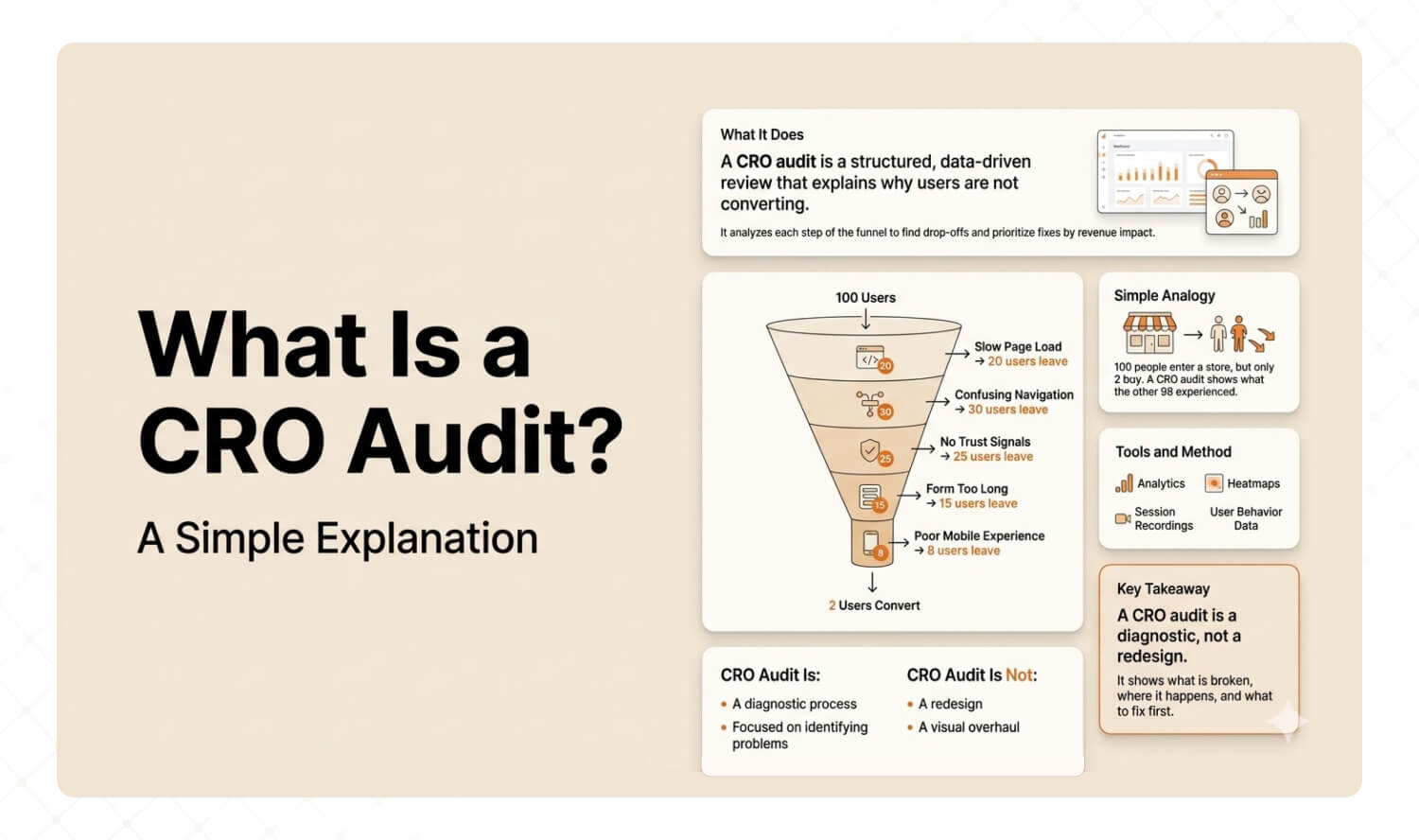
A CRO audit is a structured, data-driven review of your website that answers one question: why are visitors not doing what you want them to do? It examines each step of your conversion funnel using analytics, heatmaps, session recordings, and user behavior data to identify exactly where people drop off, and delivers a prioritized fix list ranked by revenue impact.
CRO stands for Conversion Rate Optimization. The "conversion" could be a purchase, a trial signup, a demo booking, or a form submission. Whatever your goal is, a CRO audit finds what is blocking it.
Simple analogy: imagine a physical store where 100 people walk in every hour, but only 2 buy something.
A CRO audit is like installing cameras and watching the other 98. Where do they stop? Where do they look confused? Where do they turn around and leave?
A CRO audit does not redesign your website. It diagnoses why your existing site is not converting and gives you a prioritized fix list.
Baymard Institute, one of the most cited eCommerce research organizations, puts it clearly: there is a strong correlation between UX performance and conversion rates, meaning most conversion issues are related to poor user experience.
Key Takeaway: A CRO audit is a diagnostic, not a redesign. It tells you what is broken, where, and in what order to fix it.
When Do You Actually Need a CRO Audit?
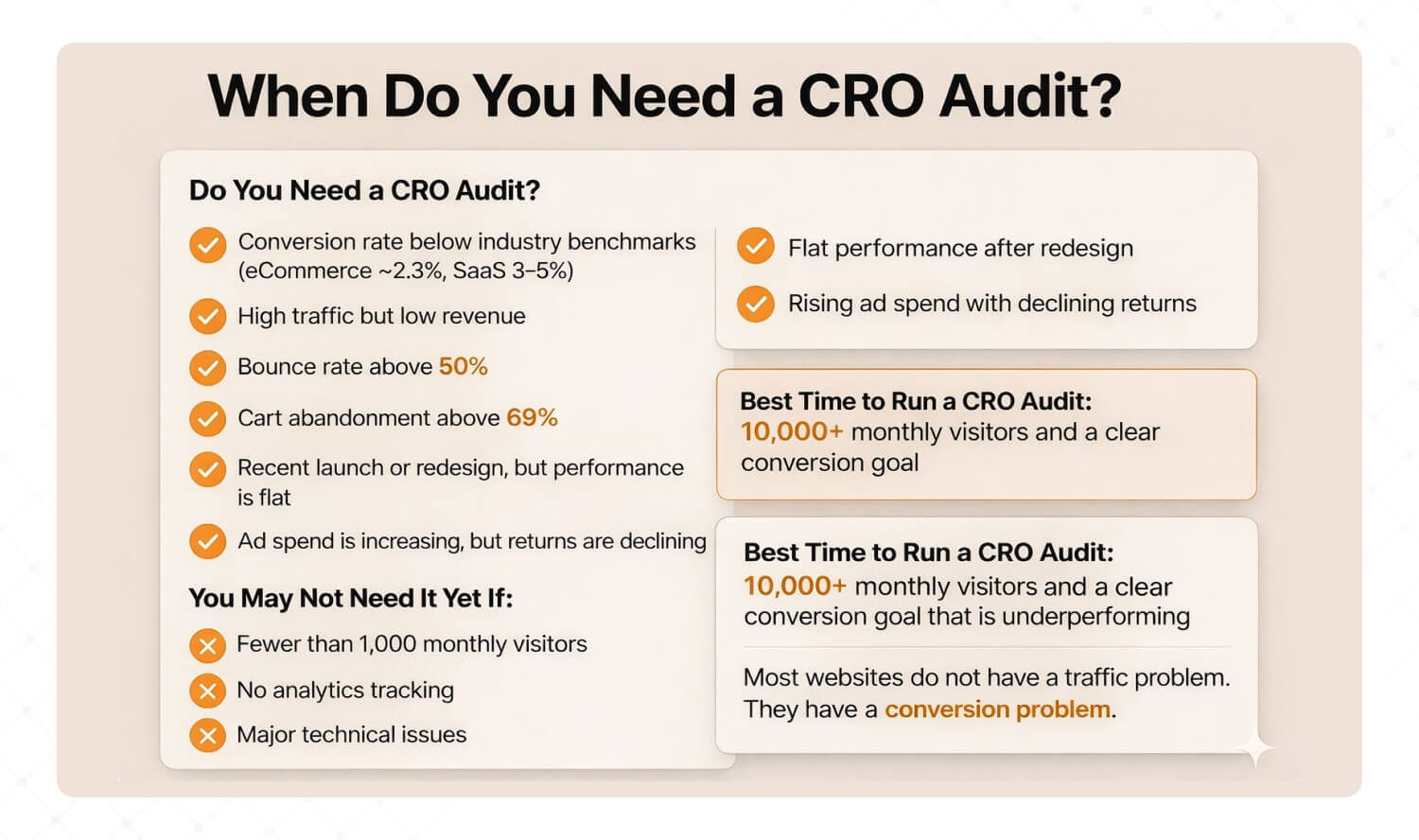
You need a CRO audit when your website gets meaningful traffic but that traffic is not converting at the rate your industry benchmarks suggest it should. Common triggers include flat or declining conversion rates, high cart abandonment, rising ad spend with falling returns, and mobile underperformance.
You probably need a CRO audit if:
Your conversion rate is below your industry average (eCommerce: 2.3%, SaaS trial-to-paid: 3-5%)
You are getting traffic but it is not turning into revenue
Bounce rate is above 50% on key pages
Cart abandonment is above the 69% industry average
You recently launched or redesigned and numbers are flat
Ad spend keeps climbing but return on ad spend keeps falling
You probably do NOT need one yet if:
Your site gets fewer than 1,000 monthly visitors (not enough data for meaningful analysis)
You have not set up proper analytics tracking (fix this first)
The site has major technical issues like broken pages or 5+ second load times (fix the basics first)
In our experience working with 50+ brands, the sweet spot for a CRO audit is when you have at least 10,000 monthly visitors and a clearly defined conversion goal that is underperforming.
Most websites do not have a traffic problem. They have a conversion problem. A CRO audit finds where the money is leaking.
If this sounds familiar, you are not alone. Our UX Audit uncovers exactly where users drop off and why, with every finding tied to a revenue number. Learn about our UX Audits →
How Does a CRO Audit Work? (The 7-Step Process)
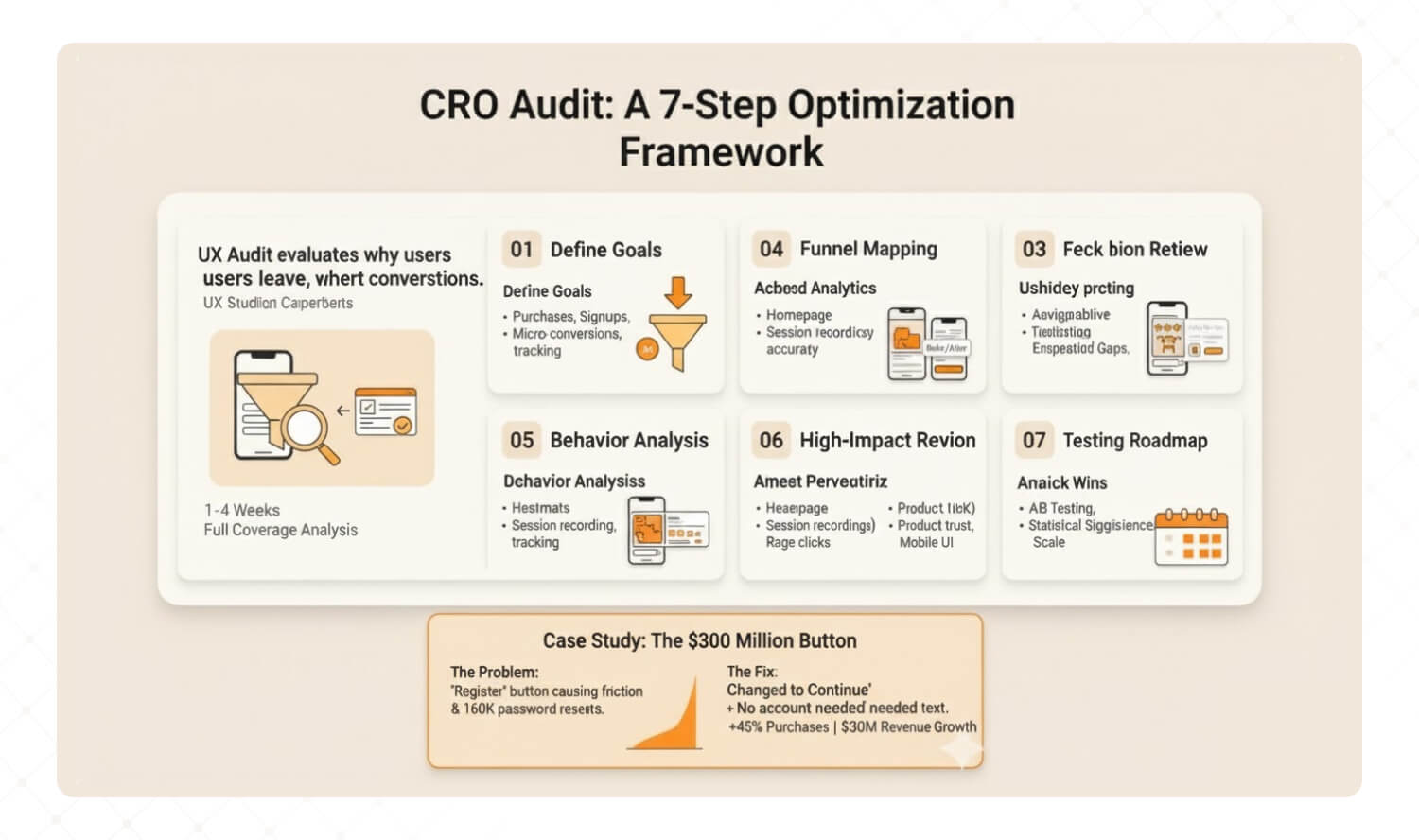
A professional CRO audit follows seven steps: define conversion goals, verify analytics accuracy, map your funnel, analyze user behavior, review key pages, prioritize fixes by revenue impact, and build a testing roadmap. The process typically takes 1 to 4 weeks depending on scope.
Here is how it works in practice.
Step 1: Define Your Conversion Goals
Before touching any data, get specific about what "conversion" means for your business.
For eCommerce: completed purchases. For SaaS: trial signups or demo bookings. For healthcare: appointment bookings.
Also define your micro-conversions: add to cart, pricing page views, scroll depth on key pages. These show where users demonstrate intent but fail to follow through.
Step 2: Verify Your Analytics Setup
This step alone catches problems in roughly 40% of audits.
Before analyzing anything, confirm that GA4 events fire correctly, conversion tracking is accurate, and there are no duplicate tags or missing pages.
Many companies make decisions based on inaccurate data. A CRO audit that starts with bad data produces bad recommendations.
Step 3: Map Your Conversion Funnel
Build a visual map of every step from landing to conversion. Then find where the biggest drop-offs happen.
Example: if 10,000 visitors land on your homepage, 3,000 visit a product page, 800 add to cart, and 200 complete checkout, your biggest leak is homepage to product page (70% drop-off). That is where you focus first.
Step 4: Analyze User Behavior
Numbers tell you WHERE users drop off. Behavior data tells you WHY.
Heatmaps reveal where users click and scroll. Session recordings show their actual journey. Rage clicks reveal frustration. Dead zones reveal content nobody sees.
We see this pattern constantly. In one eCommerce audit, heatmaps showed that 73% of users never scrolled past the hero section. The entire product catalog was invisible to most visitors. No amount of checkout optimization would have fixed that. The homepage layout was the real problem.
Step 5: Review Your Highest-Impact Pages
Focus on pages with the most traffic AND the worst conversion. The usual suspects:
Homepage: Does it communicate what you do and what to do next within 5 seconds?
Product or pricing pages: Are trust signals visible? Is the CTA clear and specific?
Checkout or signup forms: How many fields? How many steps? Is there a guest checkout option?
Mobile versions of all the above: Do they actually work with a thumb on a 6-inch screen?
Step 6: Prioritize Fixes by Revenue Impact
Not every problem is equal.
A good CRO audit ranks every finding by two factors: estimated revenue impact and implementation difficulty. Quick wins (high impact, easy to implement) go first. Structural changes get roadmapped for later.
This prioritization is what separates a useful CRO audit from a 50-page PDF that sits in a folder.
Step 7: Build a Testing Roadmap
The audit ends with a plan: which changes to A/B test, in what order, with what success metrics, and how long each test needs to run for statistical significance.
This is what turns insights into results.
Real Example: The $300 Million Button
The most famous CRO story comes from a major eCommerce retailer (widely attributed to Amazon's early checkout).
The checkout had two buttons: Login and Register. Simple. What could go wrong?
Everything.
First-time shoppers refused to register. They just wanted to buy something. Repeat customers forgot their passwords. 160,000 password reset requests happened every single day.
The fix: replace "Register" with "Continue." Add one line of text: "You do not need to create an account to make purchases."
Result: 45% increase in purchases. $300 million in additional revenue in one year.
One button. One line of copy. $300 million.
Key Takeaway: A CRO audit follows a structured process: goals, data, funnel, behavior, pages, priorities, testing. The Amazon story proves that even simple findings can drive massive revenue when the audit is done right.
What Tools Do CRO Professionals Use?
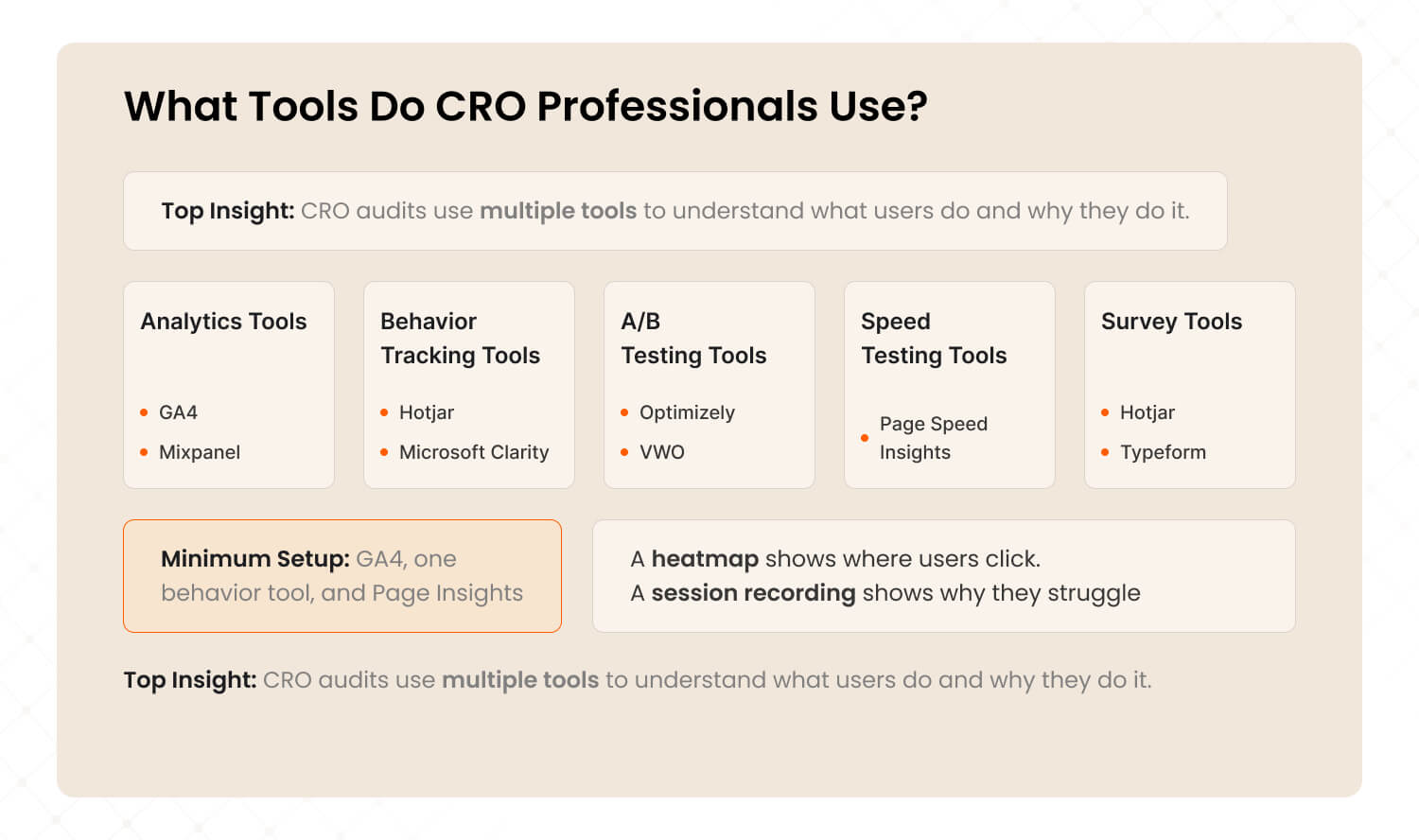
CRO audits use a combination of analytics tools (GA4, Mixpanel), behavior tracking tools (Hotjar, Microsoft Clarity), A/B testing platforms (Optimizely, VWO), speed testing tools (PageSpeed Insights), and survey tools (Hotjar, Typeform) to build a complete picture of why users are not converting.
Category | Tools | What They Do |
Analytics | GA4, Mixpanel, Amplitude | Track where users go and where they drop off |
|---|---|---|
Behavior tracking | Hotjar, Microsoft Clarity, Crazy Egg | Heatmaps, session recordings, rage click detection |
A/B testing | Optimizely, VWO | Test different page variations to find what converts better |
Form analytics | Hotjar, Zuko | See which form fields cause abandonment |
Speed testing | PageSpeed Insights, GTmetrix | Measure load times and Core Web Vitals |
Surveys | Hotjar, Typeform | Ask real users why they did or did not convert |
Accessibility | WAVE, WebAIM | Check if your site works for all users (WCAG compliance) |
You do not need all of these for every audit. At minimum, you need GA4 (analytics), one behavior tool (Hotjar free tier works), and PageSpeed Insights (free).
Professional audits combine multiple tools to cross-reference findings. A heatmap might show where users click, but a session recording shows the frustration behind that click.
How Much Does a CRO Audit Cost?
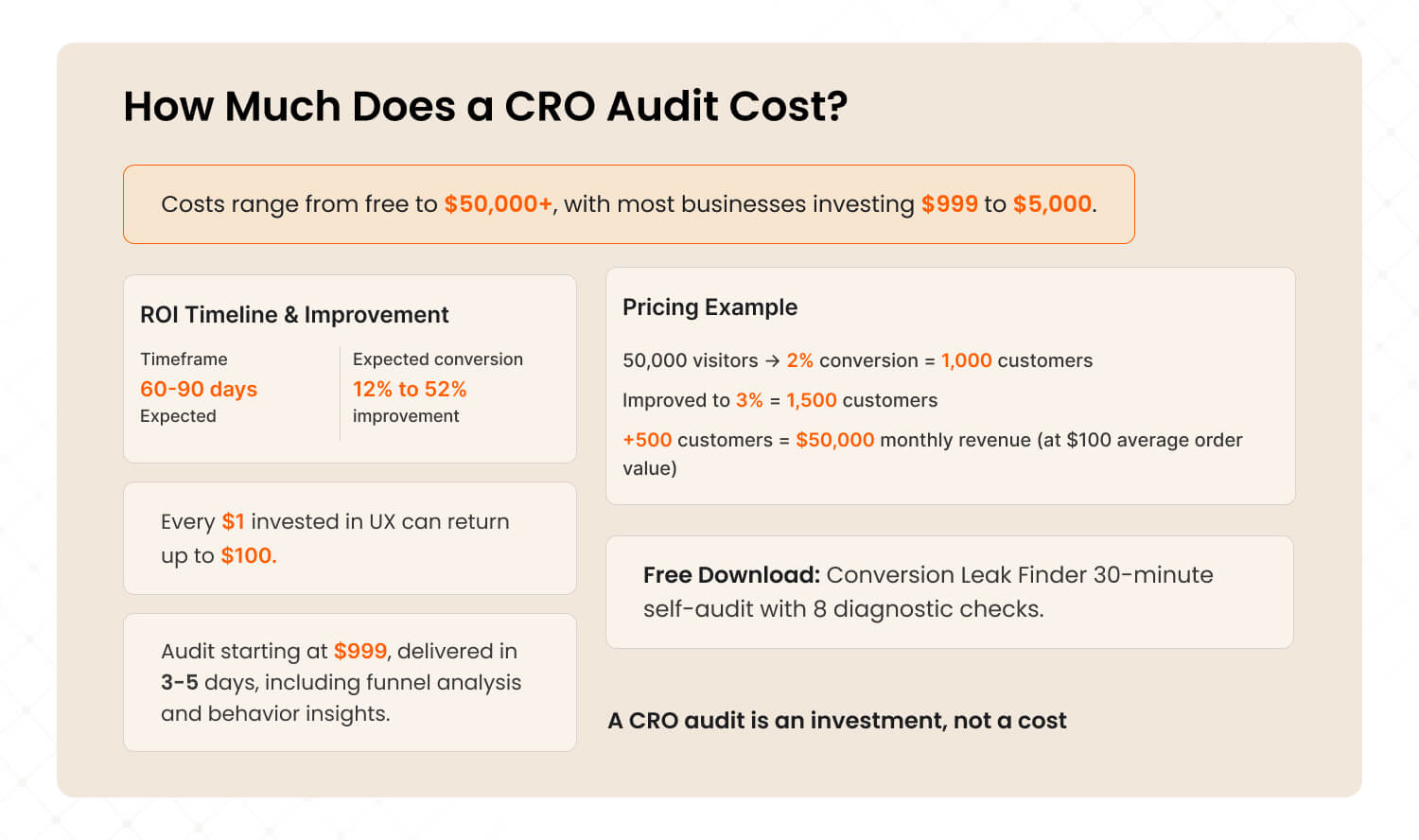
CRO audit costs range from free (DIY with free tools) to $50,000+ for enterprise engagements. Most businesses should expect to invest $999 to $5,000 for a focused, professional audit. The ROI typically shows within 60 to 90 days, with conversion improvements of 12 to 52% depending on approach.
Pricing transparency is rare in this industry. Here is what you can realistically expect:
Approach | Cost Range | What You Get |
DIY with free tools | $0 (your time) | Basic insights, limited depth |
|---|---|---|
Freelancer | $500 to $2,000 | Page-level review, basic recommendations |
Focused agency audit | $999 to $5,000 | Full funnel analysis, prioritized roadmap |
Comprehensive audit | $5,000 to $15,000 | Deep behavioral analysis, wireframes, testing plan |
Enterprise | $15,000 to $50,000+ | Multi-product, multi-funnel, ongoing optimization |
CRO retainer | $1,500 to $31,000/month | Continuous testing and optimization |
ROI reality check:
For a site with 50,000 monthly visitors and a 2% conversion rate, improving to 3% means 500 extra customers per month. At $100 average order value, that is $50,000/month in additional revenue.
Forrester Research estimates that every $1 invested in UX returns $100. Even a modest audit that costs $999 and improves conversion by 0.5% can generate thousands in monthly uplift.
At The Mad Brains, our audits start at $999 for a Discovery audit delivered in 3 to 5 days. It includes full funnel analysis, behavior insights, and a revenue-prioritized fix list. Because we structure our UX audit to include CRO analysis, you get both in one engagement.
Free Download: The Conversion Leak Finder A 30-minute self-audit playbook for SaaS and eCommerce teams. 8 diagnostic audits you can run today using free tools. No agency needed to start. [Download Free PDF]
Not ready for a paid audit? Start with our free self-audit playbook. Same diagnostic framework, self-serve format. 8 audits you can run in 30 minutes with free tools.
What Is the Difference Between a CRO Audit and a UX Audit?
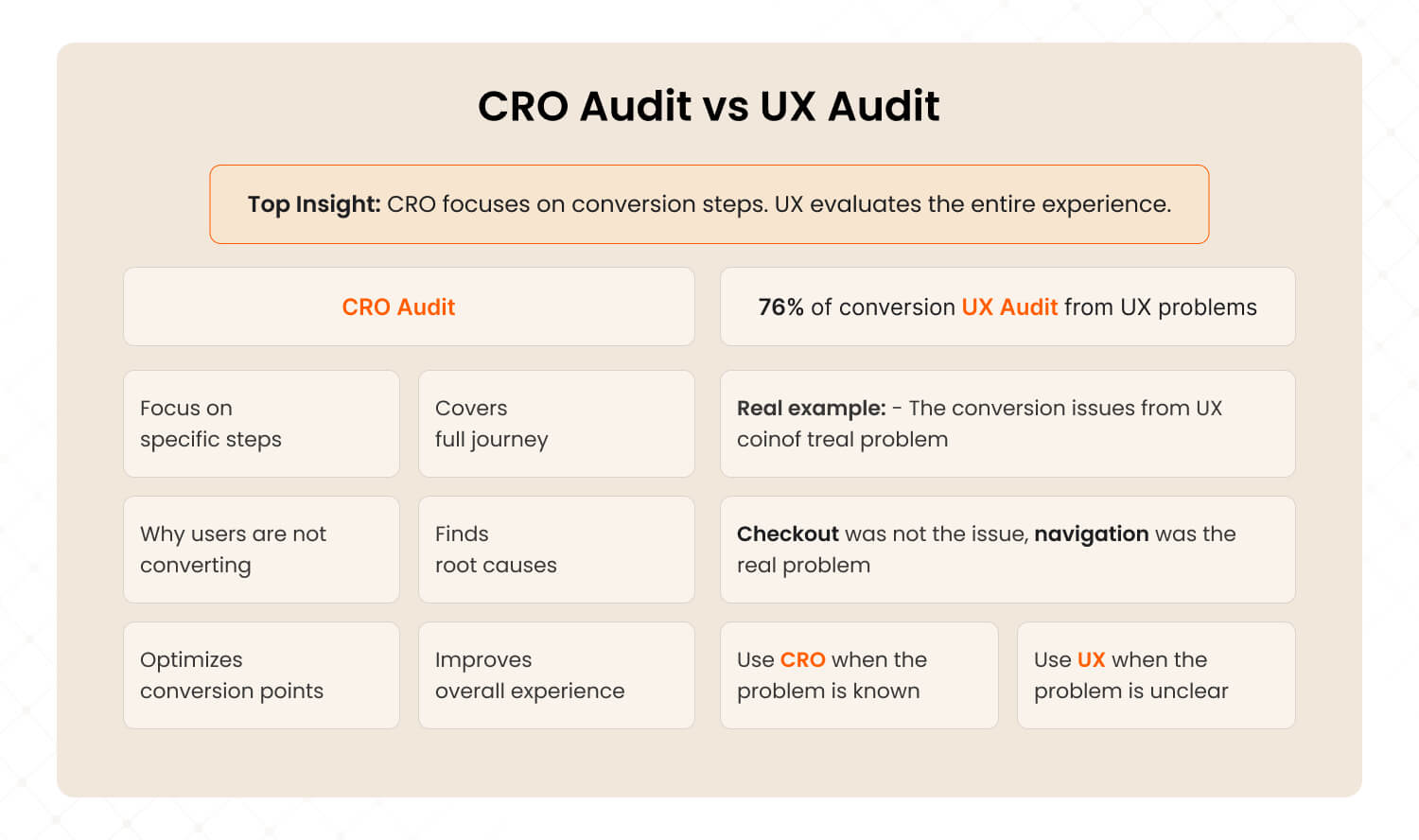
A CRO audit focuses on specific conversion steps in your funnel. A UX audit evaluates the entire user experience. Our data from 50+ audits shows 76% of conversion problems have UX root causes, which is why the best audits combine both approaches.
This is the question most businesses get wrong.
A CRO audit asks: "Why are users not converting at this specific step?"
A UX audit asks: "What is broken across the entire experience, and what should we fix first?"
CRO Audit | UX Audit | |
Scope | Specific funnel steps | Entire user journey |
|---|---|---|
Best for | Known bottleneck at one step | Multiple symptoms, unsure where to start |
Methodology | A/B testing, heatmaps, funnel analytics | Heuristic evaluation, user research, journey mapping |
Includes accessibility? | No | Yes (WCAG review) |
Includes mobile deep-dive? | Sometimes | Always |
Post-purchase analysis? | Rarely | Yes (retention, onboarding) |
In one of our audits, the client asked for a CRO review of their checkout page. The checkout was fine. The real problem was five steps earlier: users could not find the right product because the category navigation was confusing. A CRO-only audit would have missed this entirely.
We wrote a detailed guide on this topic: CRO vs UX Audit: Which One Does Your Business Actually Need?
Short version: if you know exactly which page is broken, CRO may be enough. If you have multiple symptoms or are not sure where the biggest problem is, a UX audit gives you the full picture.
This is exactly the kind of root-cause analysis we do for every client. Want to know what is blocking your conversions? Book a 15-minute strategy call →
Frequently Asked Questions About CRO Audits
Ready to Find Your Conversion Leaks?
Stop guessing. Get a data-backed diagnosis of your website's conversion barriers.
Our UX Audit includes full CRO analysis, funnel mapping, AI-powered behavior insights, and a revenue-prioritized roadmap. It is the same methodology behind 50+ audits delivering 28 to 52% conversion improvements in 60 to 90 days.
Three options to start:
Discovery Audit ($999): 15-page action report in 3 to 5 days. Your biggest conversion leaks identified fast.
Detailed Audit ($1,999): 60-page report + 90-day roadmap. Full UX + CRO analysis with competitor benchmarking. Most popular.
Solutions Audit ($3,999): Everything above + wireframes, prototypes, design system, and 6-month implementation support.
Last updated:
Abhinav Sharma
Founder & CEO | Enterprise UX & Growth Strategy
Abhinav Sharma is the Co-Founder & CEO of Mad Brains, specializing in enterprise UX audits, conversion-focused product design, and high-impact experience systems. He helps SaaS, healthcare, and fintech companies reduce usability risk, increase conversions, and build scalable, user-centered platforms.