UX Audit
By

Mad Brains Technologies


A beautifully designed website means nothing if visitors leave without buying, signing up, or filling out a form. You can pour money into paid ads and SEO, but if the experience on your site creates confusion or frustration, those clicks turn into bounces. That's where a professional UI/UX Audit Services becomes one of the smartest investments you can make. The concept is straightforward: bring in experts who systematically identify the friction, confusion, and dead ends that are silently killing your conversion rate. But the execution matters enormously, and choosing the wrong approach (or the wrong agency) can waste months. Whether you're running an ecommerce store with a 1.2% conversion rate or a SaaS product struggling with trial-to-paid numbers, understanding how to improve conversions through a structured UX audit process can unlock revenue you didn't know you were leaving on the table. Here's what actually works, what to look for, and how to turn audit findings into real results.
The Connection Between User Experience and Conversion Rates
Most businesses treat design and conversion as separate concerns. The marketing team worries about traffic; the design team worries about aesthetics. But in 2026, the data is overwhelmingly clear: user experience is the single biggest lever for conversion rate improvement after you've solved product-market fit. A Forrester study found that every dollar invested in UX returns $100, a 9,900% ROI. That's not a typo.
The reason is simple. Your website or app is a series of micro-decisions. Every page load, every button placement, every form field is a moment where a visitor either moves forward or drops off. A well-executed UX audit identifies exactly where those drop-offs happen and why. It's the difference between guessing what's wrong and knowing.
How Friction Points Sabotage Your Sales Funnel
Friction comes in forms most teams never notice because they're too close to their own product. A checkout flow that requires account creation before purchase. A mobile menu that buries the primary call to action three taps deep. A pricing page that raises more questions than it answers. Each of these creates a tiny moment of hesitation, and hesitation kills conversions.
One pattern I've seen repeatedly: companies add features and content over time without ever auditing the cumulative effect on user flow. What started as a clean three-step signup becomes a seven-step maze with redundant fields and unclear progress indicators. A professional UX audit maps the entire user journey and flags every point where visitors are likely to abandon.
The ROI of Investing in Professional UI/UX Audit Services
The numbers speak for themselves. A mid-sized ecommerce brand that invests 15,000-30,000 in a thorough UX audit and implements the top recommendations typically sees conversion rate improvements of 20-50% within three to six months. On a site doing $2 million in annual revenue, even a 20% lift means $400,000 in additional sales.
Compare that to the cost of acquiring the same revenue through paid ads. If your customer acquisition cost is $45, generating $400,000 in new revenue through ads alone (assuming a $100 average order value) would cost $180,000. The math isn't even close. Fixing what's broken is almost always cheaper than driving more traffic to a broken experience.
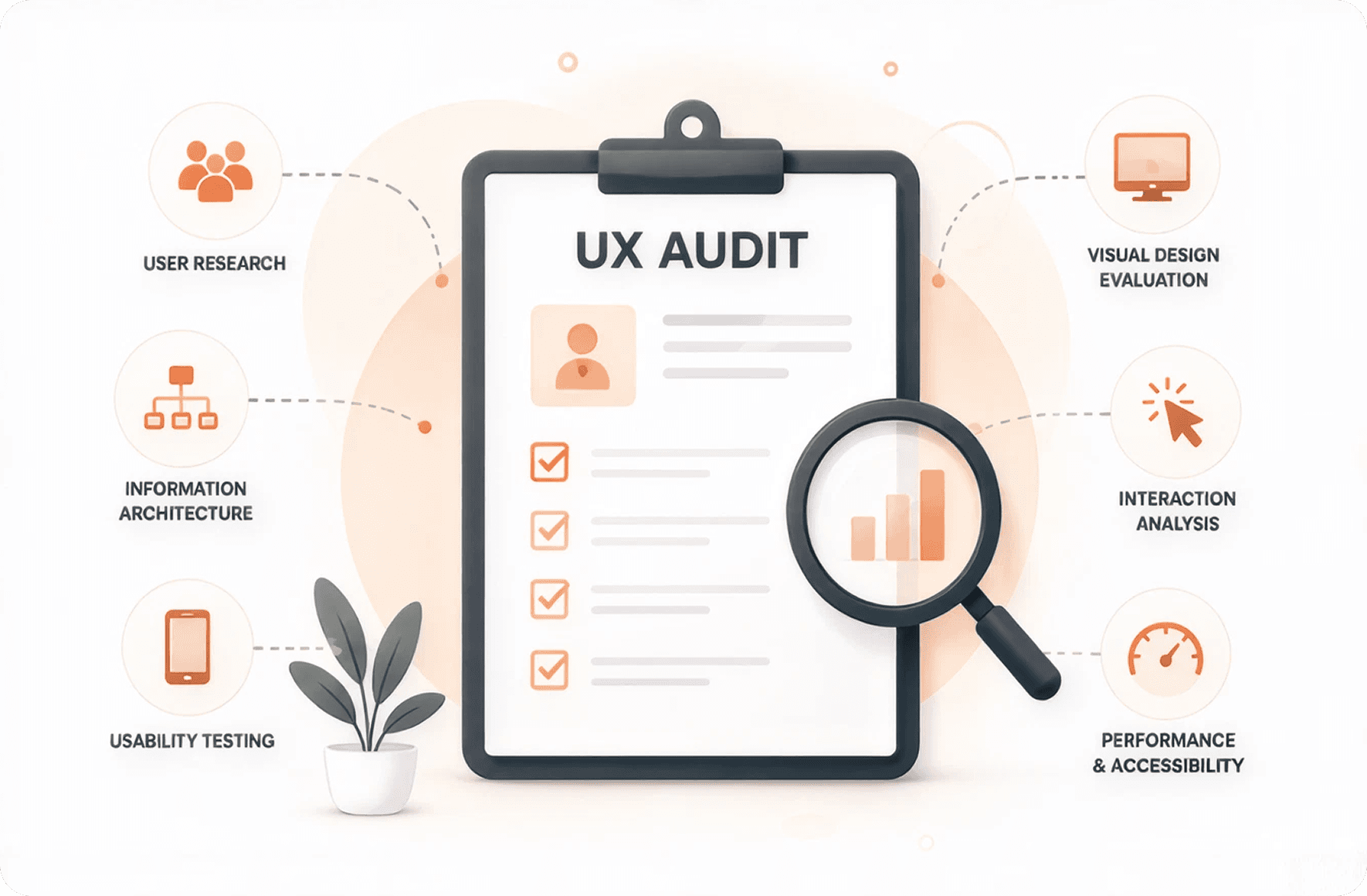
Core Components of a Comprehensive User Experience Audit Service
A real UX audit isn't someone spending an afternoon clicking through your site and writing up opinions. It's a structured, multi-layered analysis that combines expert evaluation with hard data. Here's what a thorough user experience audit service should include.
Heuristic Evaluation and Usability Testing
Heuristic evaluation is the expert review portion. Trained UX professionals assess your interface against established usability principles: things like consistency, error prevention, visibility of system status, and user control. This catches design anti-patterns that data alone might not reveal, like confusing iconography or misleading button labels.
Usability testing goes further by putting real users in front of your product and watching what happens. Agencies like The MadBrains typically recruit five to eight participants matching your target audience and assign them specific tasks: "Find a product under $50 and complete the purchase" or "Upgrade your subscription plan." The insights from watching real people struggle with your interface are often humbling and always valuable.
Data-Driven Analysis via Heatmaps and Behavioral Analytics
Expert opinions are important, but behavioral data tells you what thousands of actual visitors are doing. Heatmap tools like Hotjar and Microsoft Clarity show where users click, how far they scroll, and what they ignore entirely. Session recordings reveal the exact moment someone gets confused and leaves.
A good UX audit agency will also analyze your analytics funnel data: where are the biggest drop-offs between landing page and conversion? Which traffic sources produce visitors who engage versus those who bounce immediately? This quantitative layer turns subjective design opinions into prioritized, evidence-based recommendations. You stop arguing about whether the hero image "feels right" and start talking about the 68% of mobile users who never scroll past it.
Accessibility and Cross-Device Performance Reviews
Accessibility isn't just an ethical obligation or a legal requirement (though WCAG compliance lawsuits hit a record high in 2025). It's a conversion issue. If 15-20% of your potential customers have some form of disability, and your site doesn't accommodate screen readers, keyboard navigation, or sufficient color contrast, you're excluding a significant chunk of revenue.
Cross-device performance is equally critical. Mobile traffic now accounts for over 60% of web visits in most industries, yet many companies still design primarily for desktop and treat mobile as an afterthought. A proper audit tests your experience across devices, browsers, and connection speeds. That gorgeous animation that loads in 0.3 seconds on your office Wi-Fi might take eight seconds on a 4G connection in a rural area, and those users leave.
Selecting the Right Website UX Audit Agency for Your Business
Not all audit providers deliver the same depth or quality. Some hand you a 10-page PDF of generic best practices; others deliver a prioritized roadmap with wireframes, prototypes, and implementation support. The difference between a useful audit and a wasted one often comes down to the agency you choose.
Evaluating a Website UX Audit Company Portfolio and Methodology
When reviewing a website UX audit agency, look for case studies that show measurable outcomes, not just pretty redesigns. A good portfolio entry should include the problem identified, the methodology used, the changes recommended, and the conversion impact after implementation. If an agency can't show you before-and-after metrics, that's a red flag.
Ask about their methodology specifically. Do they conduct usability testing with real users, or only heuristic reviews? Do they analyze your actual analytics data, or work from assumptions? The best agencies combine multiple research methods because no single approach captures the full picture. For example, integrates behavioral analytics with expert review and competitive benchmarking to build a complete view of where a product stands.
Key Questions to Ask a Potential User Experience Audit Agency
Before signing with any user experience audit agency, get clear answers to these questions:
What deliverables will I receive, and in what format?
How do you prioritize recommendations: by business impact, technical effort, or both?
Do you provide implementation support, or just a report?
What's your experience in my specific industry or product type?
Can you share references from past clients with similar conversion challenges?
The last question matters more than most people realize. An agency that's audited 50 SaaS dashboards will spot patterns in your SaaS product that a generalist might miss entirely. Industry-specific experience translates directly into faster, more accurate diagnosis.
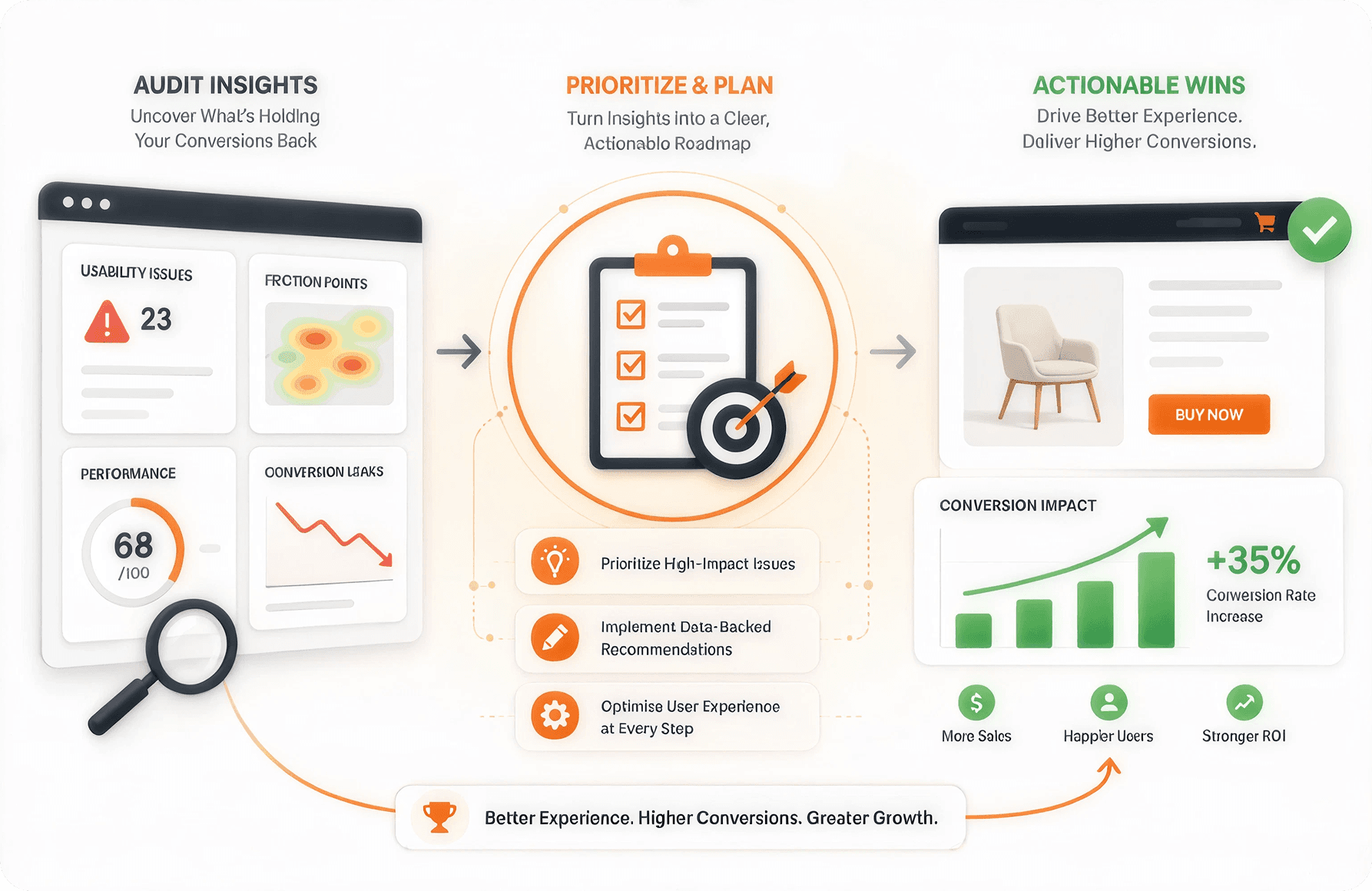
Transforming Audit Insights into Actionable Conversion Wins
An audit report sitting in a shared drive helps nobody. The real value comes from what you do with the findings. This is where many companies stumble: they receive a 60-page document full of recommendations and feel paralyzed by the volume.
Prioritizing Fixes Based on Impact vs. Effort
The most effective framework I've seen is a simple 2x2 matrix: plot each recommendation by expected conversion impact (high or low) against implementation effort (high or low). Start with the high-impact, low-effort changes. These are your quick wins: button color and placement changes, copy rewrites on key pages, simplifying form fields, fixing broken mobile interactions.
High-impact, high-effort items go into your product roadmap for the next quarter. Low-impact items, regardless of effort, go to the bottom of the list or get dropped entirely. This approach prevents the common trap of spending three months rebuilding your navigation when a simple copy change on your checkout page would have moved the needle faster.
Implementing A/B Testing to Validate Audit Recommendations
Even the best UX auditors can be wrong about specific recommendations. That's why A/B testing is essential before rolling changes out permanently. Test one variable at a time: if the audit recommends both a new checkout layout and different button copy, test them separately so you know which change actually drove the improvement.
Run tests until you reach statistical significance, which typically means at least 1,000 conversions per variation for reliable results. Tools like VWO and Optimizely make this straightforward, but the discipline of actually testing before committing is what separates companies that improve steadily from those that redesign on gut feeling and hope for the best.
Future-Proofing Your Growth with Continuous UX Monitoring
A one-time audit is valuable, but user behavior changes. Your product evolves. Competitors shift expectations. The companies that consistently outperform on conversion rates treat UX evaluation as an ongoing process, not a one-and-done project.
Set up continuous monitoring through a combination of analytics dashboards, quarterly heuristic reviews, and regular usability testing cycles. Many agencies offer retainer-based UX audit services that include monthly performance tracking and quarterly deep-dive reviews. This catches regression early: that new feature your dev team shipped last month might have inadvertently broken the mobile checkout flow, and you want to know within days, not months.
The cost of continuous monitoring is typically 20-30% of a full audit annually, and it prevents the slow decay that forces expensive full redesigns every two to three years. Think of it like regular car maintenance versus waiting for the engine to fail.
FAQs
What is a UI/UX audit?
A UI/UX audit is a systematic evaluation of your website or application's user interface and user experience. It combines expert review, user testing, and data analysis to identify usability problems, design inconsistencies, and conversion barriers. The output is typically a prioritized report of findings and recommendations.How can a UI/UX audit improve conversion rates?
By identifying and fixing the specific friction points where users drop off. This might include confusing navigation, slow page loads, unclear calls to action, or overly complex forms. Removing these barriers makes it easier for visitors to complete desired actions, directly improving your conversion rate.What conversion problems can a UI/UX audit identify?
Common issues include poor mobile responsiveness, unclear value propositions, confusing checkout flows, broken interactive elements, accessibility barriers, slow load times, and inconsistent design patterns that erode user trust. A thorough audit will also uncover less obvious problems like cognitive overload from too many choices on a single page.Can UI/UX audits help reduce cart abandonment?
Absolutely. Cart abandonment rates average around 70% across ecommerce, and a significant portion of that is caused by UX issues: unexpected shipping costs revealed too late, mandatory account creation, complicated checkout forms, or lack of trust signals. A focused audit on the purchase flow typically identifies three to five specific changes that can reduce abandonment by 10-25%.Why is mobile UX important for conversions?
Mobile users now represent the majority of web traffic, but mobile conversion rates still lag behind desktop by 50-60% in most industries. Much of that gap is caused by poor mobile UX: tiny tap targets, slow-loading pages, forms that are painful to fill out on a small screen, and navigation designed for mouse and keyboard. Fixing mobile UX closes that gap and captures revenue you're currently losing.How long does a UI/UX audit take?
A comprehensive audit typically takes three to six weeks, depending on the size and complexity of your product. Simple marketing websites might be audited in two weeks, while complex SaaS platforms or large ecommerce sites with hundreds of pages can take six to eight weeks. The timeline should include user recruitment and testing, data analysis, and report preparation.
Last updated:
Mad Brains Technologies
Enterprise UX & Product Strategy Team
Mad Brains is an enterprise UX and product consultancy focused on reducing product risk and accelerating growth. Through UX audits, conversion-led design, and full-stack development, the team helps organizations build scalable digital platforms that drive measurable business outcomes.